Claude Code: What the Source Code Reveals
Key Takeaways
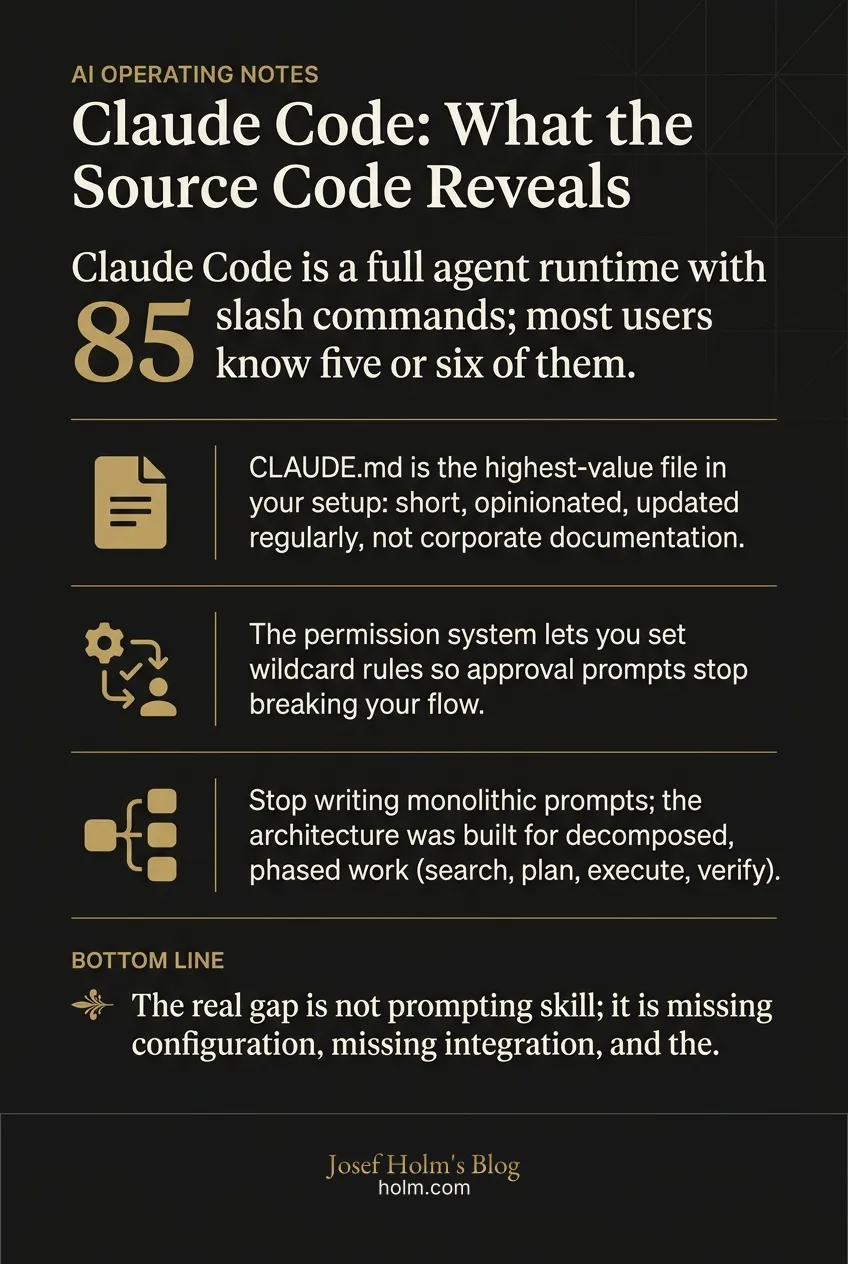
- Claude Code is a full agent runtime with 85 slash commands; most users know five or six of them.
- CLAUDE.md is the highest-value file in your setup: short, opinionated, updated regularly, not corporate documentation.
- The permission system lets you set wildcard rules so approval prompts stop breaking your flow.
- Stop writing monolithic prompts; the architecture was built for decomposed, phased work (search, plan, execute, verify).
- The real gap is not prompting skill; it is missing configuration, missing integration, and the wrong mental model of what the tool is.
Most People Are Using Claude Code Wrong. The Source Code Proves It.
Most people using Claude Code are accessing maybe 10% of what it can actually do. That's not a guess. The source code shows it.
When Anthropic's Claude Code source was accidentally exposed through an NPM package containing a source map file pointing to readable TypeScript on their servers, a security researcher found it fast. The full codebase was mirrored on GitHub within hours. Two thousand files. Over half a million lines of production code. Wide open.
I went through the analysis of what was found. The practical implications are worth understanding, not because of the leak itself, but because of what it reveals about how this tool was designed to be used versus how most people actually use it.
Is Claude Code a chatbot or something else entirely?
Something else entirely. The gap between perception and reality here is big.
Most users treat Claude Code like a chatbot that happens to have terminal access. The source reveals it's a full agent runtime. A proper application built with Bun, TypeScript, and React that includes a tool system, a command system, a memory system, a permission engine, a task manager, a multi-agent coordinator, and an MCP client and server.
The execution pipeline flows from a CLI parser to a query engine to the LLM API to a tool execution loop to terminal rendering. That's not a chat wrapper. That's infrastructure.
Why does this distinction matter? Because it changes how you should think about using it. You wouldn't use Kubernetes the same way you use a shell script. Same principle applies here. The architecture was built for structured, multi-phase, context-aware work. Treating it like a conversation partner with file access leaves most of its capability sitting unused.
What are the 85 commands most people don't know about?
The source code reveals approximately 85 slash commands. Most users know maybe five or six. Here are the ones that will change your workflow immediately.
/init sets up project context and generates a CLAUDE.md file that acts as Claude Code's operating manual for your repository. This is the foundation. If you haven't run this, you're starting every session from scratch.
/plan puts Claude Code into planning mode. It maps out the full approach before touching any files. For complex tasks, start here. It saves tokens and produces better results because the model thinks before it acts.
/compact compresses conversation history to reduce token usage. Here's what most people miss: it accepts an optional prompt to specify what to preserve. So /compact keep all details about the website integration keeps the relevant context while shedding everything else. That's not a minor feature. That's active context management.
/review and /security review are built-in structured code review workflows. The fact that code review is a first-class workflow in the product tells you something about how Anthropic expects this tool to be used. It's not just a code generator.
/context manages which files Claude Code is actively paying attention to. Every file in context is a direct token cost. This command lets you control that cost precisely.
/cost shows what you've spent in the current session. Simple. Useful. Most people don't know it exists.
/resume and /summary let you pick up where you left off between sessions without re-explaining context. If you've ever started a new Claude Code session and spent the first five minutes getting it back up to speed, these two commands solve that problem entirely.
What is CLAUDE.md and why does it matter so much?
This is probably the single most important thing in the entire codebase for practical users.
CLAUDE.md is not documentation. It's operating context. Think of it as an onboarding document for Claude Code that gets injected at the start of every session, shaping every interaction you have with the tool.
The source reveals a full memory system centered on this file, with multiple memory layers: user-level memory, extracted memories, and team memory synchronization. Persistent context across project, user, and session boundaries.
But here's what actually matters. Effective CLAUDE.md files are short, opinionated, and operational. Not long. Not exhaustive. Not vague.
Good entries look like this:
- "We use TypeScript strict mode. Always."
- "Tests go in test folders next to the source file."
- "Never modify the database schema without running migrations."
- "Use PNPM, not npm."
Bad entries look like corporate documentation. If your CLAUDE.md reads like a wiki page, it's not doing its job. It should read like the notes a senior engineer writes for a new team member on day one. Direct. Specific. Opinionated.
You can configure CLAUDE.md at both the global and project level, which means you can set general preferences that apply everywhere and project-specific rules that override or extend them. The people getting the most out of Claude Code treat this file as a force multiplier and update it regularly.
I've seen this pattern before with other tools. The configuration layer is where the real advantage lives. Not in how you talk to the tool, but in how you set up the environment before you start talking.
How does the permission system work and why should you care?
Claude Code has a deep permission system with multiple modes. Most users are stuck in the default mode where it asks for approval on every action.
The modes include:
- Default mode asks for approval on every action
- Plan mode maps before executing
- Auto/bypass modes execute without repeated prompts
The practical move is wildcard permissions. You can set these in settings.local.json or settings.json at the global, user, or project level. Examples include allowing all git commands or allowing all file edits within a specific folder.
Why does this matter? Because the approval prompts break flow. If you're using Claude Code for recurring workflows and you're clicking "approve" forty times in a session, you've turned an automation tool into an interruption machine. Setting wildcard permissions for known-safe operations lets Claude Code operate the way it was designed to.
This is a configuration decision, not a prompting decision. That distinction is the theme running through everything the source code reveals.
What does multi-agent architecture mean in practice?
The source code reveals a full coordinator subsystem with agent tools, team tools, and a task system designed for background and parallel work. The architecture supports decomposition, splitting work across multiple agents running simultaneously.
So what does this mean for how you should actually use it?
Stop writing monolithic prompts. "Refactor this module, update the tests, and fix the documentation" is one prompt doing three jobs. The architecture was designed for something different: a search phase, a plan phase, an execute phase, a verify phase.
Would you give a new developer three unrelated tasks in a single sentence and expect good results? Probably not. You'd break it down. Same principle applies here, except the architecture literally has infrastructure for parallel task execution and background work.
Your job isn't to write better prompts. It's to decompose work into clear, sequential or parallel steps that align with how the system was built to operate. That's a fundamentally different skill than prompt engineering.
What's the deal with MCP integration?
MCP, the Model Context Protocol, isn't just supported by Claude Code. It's baked into the architecture. Claude Code functions as both an MCP client and an MCP server, meaning it can connect to external tools and other systems can connect to it.
Beyond MCP, the source reveals a skills and plugin layer that allows users to build repeatable workflows, custom capabilities, and domain-specific extensions.
This positions Claude Code as an integration layer. It can connect to databases, APIs, internal tools, and documentation systems. Skills and plugins layer on top for repeated tasks.
The value of Claude Code scales proportionally with what it can access. A Claude Code instance connected to your database, your internal APIs, your documentation system, and your deployment pipeline is a fundamentally different tool than one that only sees the files in your current directory.
This is where the AI readiness note perspective becomes relevant. When we evaluate how organizations are actually using AI tools, the gap between "installed" and "integrated" is almost always where the lost value lives. The tool is present but not connected. It has access to files but not to the systems that give those files meaning.
What hidden features are lurking in the codebase?
The source includes checks for a user type value of ant (Anthropic), gating certain capabilities behind internal feature flags. Referenced features include voice mode, a system called "Chyros," daemon mode, and coordinator mode.
Claude Code is heavily feature-flagged. Different users may already be receiving meaningfully different experiences depending on their environment, build, or rollout group.
Whether these features are early prototypes or near public release can't be determined from the source alone. But the existence of daemon mode and coordinator mode reinforces the trajectory: Claude Code is moving toward persistent, autonomous operation. Not a tool you open and close. Infrastructure that runs continuously.
That's a large shift in how we should think about AI coding tools. The move from tool to infrastructure changes everything about how you plan, staff, and budget for it.
So what should you actually do differently?
The overall insight from the source code is clear: the best users don't write better prompts. They design a better operating environment.
Here's the practical framework:
Treat CLAUDE.md as your highest-apply file. Keep it short, opinionated, and updated. Route to other files as needed. This file shapes every interaction. Fifteen minutes making it good pays off across every session going forward.
Learn the command system. /plan, /compact, /context, /review, /cost, and /resume will change your daily workflow more than any prompt technique.
Configure permissions for recurring workflows. Set wildcard rules to stop the approval prompt interruption cycle. One-time setup. Permanent payoff.
Think in decomposition, not monolithic prompts. Search, plan, execute, verify. Break complex work into phases that align with the architecture.
Manage context like a budget. Use /compact when conversations grow long. Use /context to control what's loaded. Use /summary and /resume to carry work across sessions. Every unnecessary file in context is money you're spending for no reason.
Connect external tools. MCP servers, CLIs, plugins, and skills increase Claude Code's value proportionally to what it can access.
Treat it like infrastructure, not a chatbot. The source reveals a large configuration surface including model routing, sub-agent model overrides, shell behavior, privacy controls, and the ability to route through different cloud backends like AWS Bedrock or Google Vertex.
The bigger pattern here
I keep coming back to the same observation across every technology cycle I've worked through. The gap between what a tool can do and what people actually use it for is almost always larger than anyone assumes.
Twenty-five years ago, companies bought CRM systems and used them as contact lists. Fifteen years ago, companies adopted cloud infrastructure and used it to host the same monolithic applications they ran on-premise. The pattern repeats. The tool changes. The gap stays.
What the Claude Code source reveals is that this gap is already massive, and the tool is still in its early stages. The people closing that gap aren't doing it through better prompting. They're doing it through better configuration, better integration, and a clearer mental model of what the tool actually is.
That's the work. Not talking to AI better. Building a better operating environment around it.
If your organization is trying to figure out where the real value lives in AI tooling, and where the gap between "adopted" and "actually productive" is costing you, that's exactly what we help with. The pattern in the Claude Code leak is the same pattern we see in every engagement: the tool is capable. The environment around it usually isn't ready.
The fix is almost never more AI. It's better operations around the AI you already have.
Infographic
Frequently Asked Questions
- What is Claude Code actually built on?
- Claude Code is a full agent runtime built with Bun, TypeScript, and React. It includes a tool system, command system, memory system, permission engine, task manager, multi-agent coordinator, and MCP client and server. It is not a chat wrapper with file access. It is infrastructure.
- What is CLAUDE.md and how should I write it?
- CLAUDE.md is the operating context file that gets injected at the start of every Claude Code session. Keep it short, direct, and opinionated. Write it like a senior engineer's notes for a new team member on day one. Specific rules about tooling, file structure, and conventions. Not wiki documentation.
- How do I stop Claude Code from asking for approval on every action?
- Set wildcard permissions in settings.local.json or settings.json at the global, user, or project level. You can allow all git commands or all file edits within a specific folder. One-time configuration that eliminates the interruption cycle for known-safe operations.
- What Claude Code slash commands should I learn first?
- Start with these six: /init to generate your CLAUDE.md, /plan before touching any files on complex tasks, /compact to manage token costs mid-session, /context to control which files are loaded, /cost to track session spending, and /resume to pick up where you left off without re-explaining context.
- What is MCP and why does it matter for Claude Code?
- MCP stands for Model Context Protocol. Claude Code functions as both an MCP client and an MCP server, meaning it can connect to external databases, APIs, internal tools, and documentation systems. The value of Claude Code scales directly with what it can access. A connected instance is a fundamentally different tool than one that only sees local files.
- Why are most teams underusing Claude Code even after adopting it?
- Because the gap between installed and integrated is where the value disappears. The tool is present but not connected to the systems that give it context. The fix is not better prompting. It is better configuration, proper CLAUDE.md setup, permission rules for recurring workflows, and connecting Claude Code to the external tools it needs to do real work.