Stop Vibe Coding: 22 Claude Code Hacks to Build Apps 10x Faster
Key Takeaways
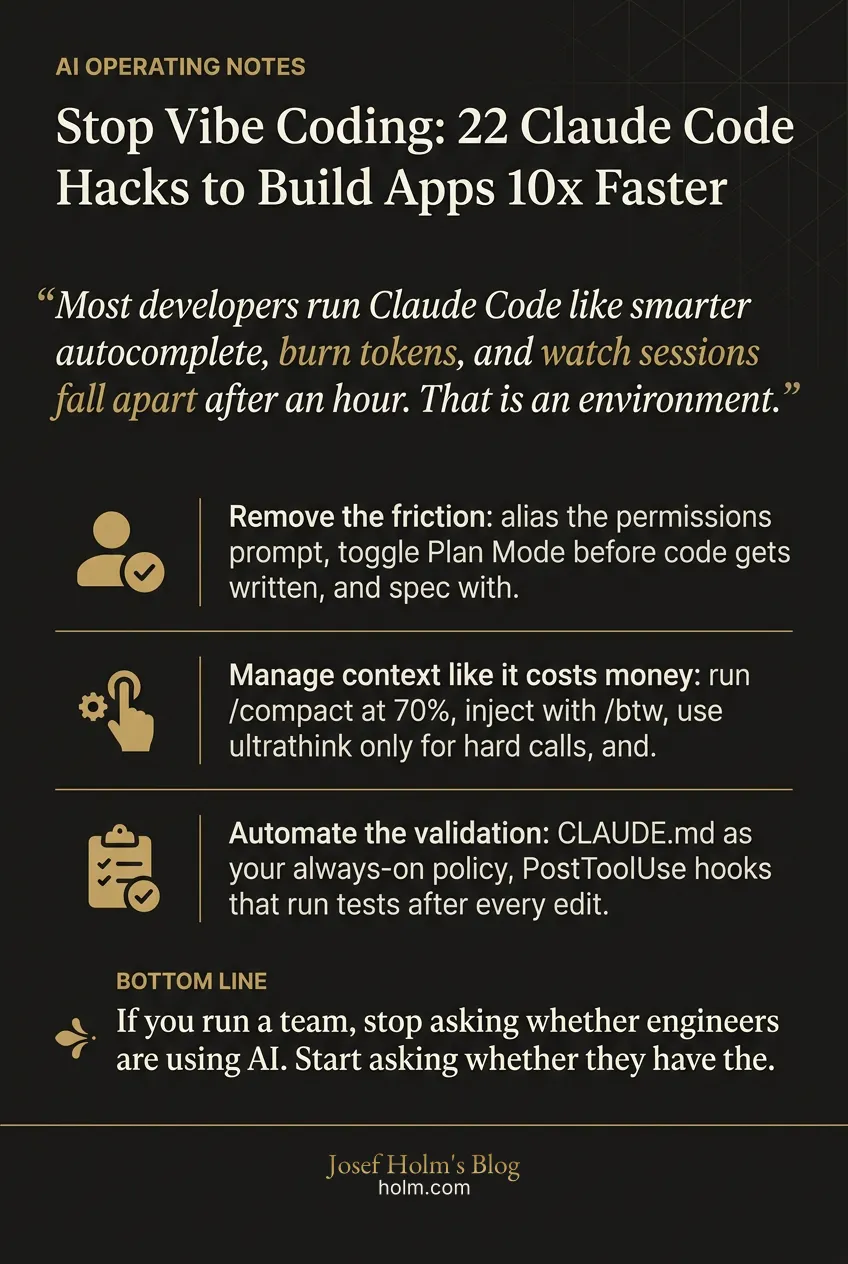
- Most developers run Claude Code like smarter autocomplete, burn tokens, and watch sessions fall apart after an hour. That is an environment problem, not an AI problem.
- Remove the friction: alias the permissions prompt, toggle Plan Mode before code gets written, and spec with EXPECTATIONS.md so you slow down at the front to get cleaner output at the back.
- Manage context like it costs money: run /compact at 70%, inject with /btw, use ultrathink only for hard calls, and sidestep the cache killer with a handoff summary into /new.
- Automate the validation: CLAUDE.md as your always-on policy, PostToolUse hooks that run tests after every edit, /ultrareview before merge, and headless -p scripts in CI/CD.
- If you run a team, stop asking whether engineers are using AI. Start asking whether they have the environment to use it well. That is the conversation that separates teams shipping at 10x from teams still talking about it.
Most developers using Claude Code are running it at maybe 20% of what it can do. They treat it like a smarter autocomplete, burn tokens, and then wonder why their sessions fall apart after an hour.
That's not an AI problem. It's an environment problem.
The gap between "playing with Claude Code" and actually shipping production code fast isn't about cleverer prompts. It's about engineering the context, the rules, and the automation around the tool. I've spent three decades watching developers either adapt to new tooling or get left behind by it. Claude Code is one of those moments.
Here are 22 hacks worth knowing if you want to stop vibe coding and start shipping.
How do you remove the friction in daily use?
The first thing slowing you down is you. Every approval prompt. Every confirmation. Every mid-task interruption. Those seconds pile up into hours over a week.
1. Alias the Yolo Mode
Set alias cc='claude -dangerously-skip-permissions' in your shell. Once your project guardrails are solid, constant approval prompts are just friction. This single change is the biggest speed boost most developers can make on day one.
2. Plan Mode with Shift+Tab
Claude's default instinct is to write code. That often means solving the wrong problem well. Toggle Plan Mode with Shift+Tab to force a read-only exploration phase first. You approve the logic before anything gets written.
3. Spec-driven development
Create an EXPECTATIONS.md file. Drop your vision into it. Then ask Claude to produce a technical design and a task breakdown from the spec before touching code. Slowing down at the front produces cleaner output at the back.
4. Branch your session with /fork
About to attempt a risky refactor? Run /fork to create a conversational branch. If the path dead-ends, /resume takes you back to a clean state. Git branching, but for your AI session.
What's the real token problem nobody talks about?
Context rot. That's when Claude starts repeating itself, forgetting constraints, losing the thread. It's not a bug. It's what happens when context windows get bloated past the point of usefulness.
5. The 70% compact rule
Don't wait for the system warning. Run /compact the moment your context hits 70%, usually right after you finish a logical chunk of work. Proactive compaction keeps quality high.
6. Inject mid-task with /btw
Forgot to mention a constraint? Don't interrupt the loop. Use /btw to add context inline without consuming a full turn or bloating history.
7. Go nuclear with ultrathink
Type ultrathink (no slash) for genuinely hard architectural calls or impossible bugs. It triggers extended reasoning. Slower. Token-heavy. For non-trivial problems, the quality jump is real.
8. Sidestep the cache killer
Resuming a 400k-token session after a break will burn your quota because the server cache has expired. Instead: have Claude generate a handoff summary, start /new, paste the summary in. You keep the state without the token tax.
How do you stop repeating yourself every session?
If you're re-explaining your project every time you open a session, you're doing it wrong. Rules belong in files, not prompts.
9. The CLAUDE.md constitution
Create a CLAUDE.md in your root directory. It loads at every session start. Put your test commands, naming conventions, and architectural "hard nos" in it. This becomes your always-on policy.
10. Path-specific rule loading
Don't load Go rules when you're writing CSS. Store markdown files in .claude/rules/ with YAML frontmatter like paths: ["/*.ts"]. Rules only load when Claude touches those files. Clean context, better output.
11. Custom status lines
Watch the clock. A custom status line (something like gsd-statusline.js) shows your current model, git branch, uncommitted file count, and a visual progress bar for token usage. You stop getting surprised.
What does serious automation actually look like?
This is where most people stop. They use Claude Code interactively and miss the real use: determinism.
12. The auto-tester hook
Use a PostToolUse hook to run your test suite automatically after every file edit. If Claude breaks the build, it catches the mistake in seconds instead of minutes. Determinism beats probability.
13. Multi-agent conflict resolution
Merge conflicts eat hours. The /resolve-conflicts skill paired with a language-aware driver like mergiraf can analyze semantic intent across both branches and propose a resolution in roughly 15 seconds. Work that takes humans 10+ minutes.
14. Conversational commits
Stop writing "fix" or "update." Tell Claude "commit my changes" in natural language. It performs semantic analysis of the diff and writes proper Conventional Commit messages that explain why, not just what.
15. Browser verification with /chrome
Visual bugs don't show up in unit tests. Use /chrome or Playwright MCP to let Claude open a browser, walk through a user journey, and take screenshots to verify UI changes.
Can you run Claude Code without being there?
Yes. This is the part that changes how you think about your own time.
16. Headless scripts for CI/CD
Claude Code is scriptable. Use the -p flag in GitHub Actions to automate PR reviews, detect documentation drift, or run issue-to-PR workflows where a bug label triggers an automatic fix.
17. Monitor with /loop
Need to watch a deployment? Run /loop 5m "check if the deploy finished" to repeat a prompt at intervals while you work on something else.
18. Multi-model switching
Use /model to switch mid-session. Haiku for cheap exploratory work and repo spelunking. Sonnet or Opus for actual setup. Stop spending premium tokens on file reads.
19. Calibrate effort
The /effort slider tunes speed against intelligence. Drop to "low" for formatting or doc tweaks. Reserve "max" for architectural decisions.
What separates the final 10%?
Finishing. Most code dies in the gap between "works on my machine" and "merged to main." These hacks close that gap.
20. Batch your drudgery
Don't waste turns on minor edits. /batch groups ten small tasks (typos, variable renames across files) into one efficient pass.
21. Deep PR reviews with /ultrareview
Before merging, run /ultrareview. It runs a cloud-based parallel multi-agent audit of your branch to catch security vulnerabilities and style violations a single agent would miss.
22. Instant handoff with /recap
Back from lunch? Run /recap for a one-line summary of prior context and where you left off. Jump straight back into deep work.
So what's the real takeaway?
The 10x productivity gain with Claude Code doesn't come from better prompts. It comes from engineering the environment around it.
Alias the friction. Automate the validation. Manage the context window like it costs money, because it does. Build a constitution your agent reads every session. Hook the tests. Script the CI.
I've watched this same pattern play out in every technology shift over three decades. The tool itself is never the advantage. The advantage sits in how you deploy it, what you wrap around it, and how seriously you take the operational layer underneath. Most teams skip that work and then wonder why the new tool didn't deliver.
That same principle sits behind everything we do at Josef Holm. When we run an AI readiness note, we're not looking at whether a team is using AI. We're looking at whether they've built the environment for AI to produce compounding results. Prompts are the surface. Operating design is the substance.
If you're a developer, pick three of these hacks this week. Alias your permissions, set up a CLAUDE.md, and add a test hook. That alone will change how your week feels.
If you're running a team, stop asking whether your engineers are "using AI." Start asking whether they have the environment to use it well. That's a very different conversation, and it's the one that separates teams shipping at 10x from teams still talking about it.
Now go set up your hooks.
Infographic
Frequently Asked Questions
- Why do most developers only get 20% out of Claude Code?
- They treat it like smarter autocomplete. They burn tokens, skip the setup work, and never build the environment around the tool. The gap between playing with Claude Code and shipping production code is not prompt quality. It is engineering the context, the rules, and the automation.
- What is context rot and how do you prevent it?
- Context rot is when Claude starts repeating itself, forgetting constraints, and losing the thread because the context window is bloated. Run /compact at 70% usage after finishing a logical chunk. Use /btw to inject context mid-task without a full turn. For long sessions, generate a handoff summary and start /new instead of resuming.
- What should go in a CLAUDE.md file?
- Your test commands, naming conventions, and architectural hard nos. It loads at every session start, so it becomes your always-on policy. Stop re-explaining your project every session. Rules belong in files, not prompts.
- How do you automate Claude Code in CI/CD?
- Claude Code is scriptable. Use the -p flag in GitHub Actions to run PR reviews, detect documentation drift, or trigger issue-to-PR workflows where a bug label launches an automatic fix. Pair it with a PostToolUse hook that runs your tests after every file edit.
- Which three hacks should a developer start with this week?
- Alias your permissions so you stop hitting approval prompts. Set up a CLAUDE.md so your rules load every session. Add a test hook so Claude catches its own breakage. Those three alone change how your week feels.
- What separates teams shipping at 10x from teams still talking about it?
- The environment. Stop asking whether your engineers are using AI. Start asking whether they have the environment to use it well. That is the operating design question, and it is the one that actually decides output.