18 Claude Code Token Hacks in 18 Minutes
Key Takeaways
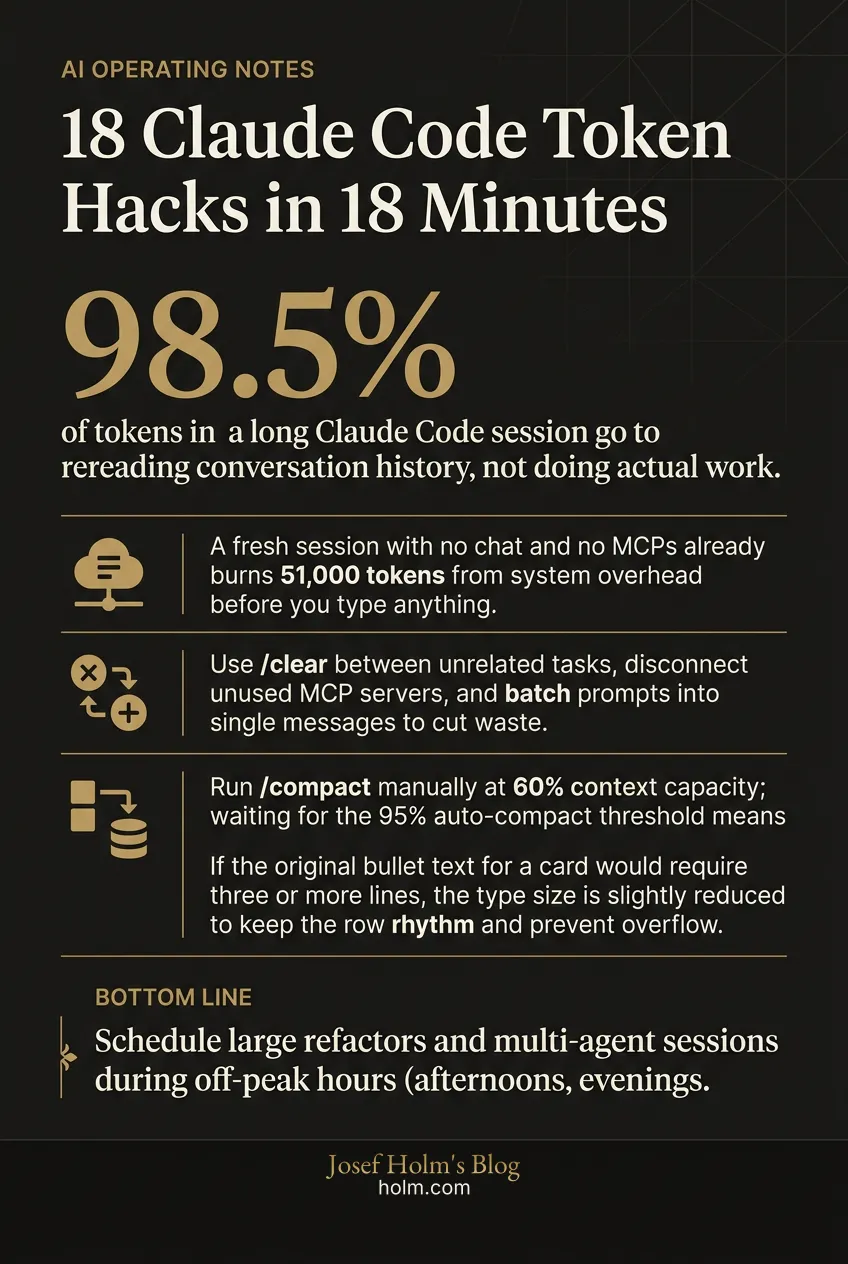
- 98.5% of tokens in a long Claude Code session go to rereading conversation history, not doing actual work.
- A fresh session with no chat and no MCPs already burns 51,000 tokens from system overhead before you type anything.
- Use /clear between unrelated tasks, disconnect unused MCP servers, and batch prompts into single messages to cut waste immediately.
- Run /compact manually at 60% context capacity; waiting for the 95% auto-compact threshold means quality has already degraded.
- Schedule large refactors and multi-agent sessions during off-peak hours (afternoons, evenings, weekends) when session windows drain more slowly.
Most of Your Claude Code Tokens Are Wasted Before You Type a Single Prompt
Here's the number that should bother you: 98.5% of all tokens in a long Claude Code session get spent rereading old conversation history. Not writing code. Not solving problems. Just rereading what already happened.
I've watched developers burn through their entire Claude Code allocation in hours, then blame the plan limits. The plan isn't the problem. Context hygiene is. And almost nobody is managing it.
Below are 18 practical ways to cut token waste in Claude Code, organized by complexity. Solo developer or engineering team lead, these patterns apply immediately.
Wait, How Do Claude Code Tokens Actually Work?
A token is roughly one word. Simple enough. What isn't simple is how billing compounds over a session.
Every time you send a message, Claude rereads the entire conversation from the beginning. Message 1 might cost 500 tokens. Message 30 costs around 15,500. That's 31x more for the same amount of actual work. After 30 messages, cumulative token usage approaches a quarter million.
It gets worse. On every single turn, Claude also reloads your CLAUDE.md file, MCP servers, system prompts, skills, and any referenced files. That's invisible overhead you're paying whether you realize it or not.
There's a quality cost too. Models pay the most attention to content at the beginning and end of a session. Material in the middle gets effectively ignored. Researchers call this "lost in the middle." So bloated context doesn't just cost more money. It produces worse output.
That's the core tension: the longer your session runs, the more you pay and the less useful the responses become.
What Are the Foundational Habits That Save the Most Tokens?
These require zero technical sophistication. They also produce the biggest impact.
Start fresh conversations
Use /clear between unrelated tasks. Every message in a long chat is exponentially more expensive than the same message in a fresh one. Carrying context from Topic A into Topic B is pure waste. This is the easiest habit to build and one of the highest-return ones.
Disconnect unused MCP servers
Every connected MCP server loads all of its tool definitions into context on every message. A single server can consume approximately 18,000 tokens per message. Run /mcp at the start of each session and disconnect anything you don't need for the current task. Where possible, use CLI alternatives. They're faster, cheaper, and far lighter on tokens.
Batch your prompts into one message
Three separate messages cost roughly three times what one combined message costs. Instead of sending sequential follow-ups, combine multi-step instructions into a single prompt. And if Claude produces a slightly wrong output, edit the original message and regenerate rather than sending a correction. Follow-ups stack onto history permanently. Edits replace the bad exchange entirely.
Use plan mode before any real task
This prevents the single largest source of token waste: Claude going down the wrong path and producing work that has to be scrapped entirely. Plan mode lets Claude map out the approach and ask clarifying questions before writing a line of code.
A useful rule to add to your CLAUDE.md: "Do not make any changes until you have 95% confidence in what you need to build. Ask follow-up questions until you reach that confidence level."
Run /context and /cost regularly
/context shows exactly what's consuming tokens: conversation history, MCP overhead, loaded files. /cost shows actual token usage and estimated spend for the current session.
Here's what surprised me when I first checked: in a completely fresh session with no chat history and no MCPs connected, /context already showed 51,000 tokens consumed from system prompt, system tools, custom agents, skills, and memory files. That's your baseline before you've said a single word.
Set up a status line
A terminal status line can display the current model, a visual progress bar of context usage, and a live token count. Run /status line in the terminal and describe the display format you want. Thirty seconds of setup. Changes how you work.
Keep the usage dashboard open
Check the Claude usage dashboard every 20 to 40 minutes. You can set up an automation to send a Slack message or text alert when usage approaches the limit. Awareness changes behavior faster than any other intervention.
Be surgical with pasting
Before pasting a document or large file, ask yourself: does Claude need the entire thing? If a bug lives in one function, paste only that function. If one paragraph provides the needed context, paste only that paragraph. The rest is just tokens you're paying to have ignored.
Watch Claude Code work
Don't fire off a prompt and walk away. Watching in real time lets you catch when Claude goes down the wrong path, gets stuck in loops, or rereads the same files repeatedly. Stopping a bad loop early can save thousands of tokens. In a bad loop, an estimated 80% of tokens produce zero value.
What Should Intermediate Users Be Doing Differently?
Once the basics are in place, these techniques compound your savings considerably.
Keep CLAUDE.md lean
CLAUDE.md is auto-read at the start of every chat and on every message. Keep it under 200 lines. Include only the most critical information: tech stack, coding conventions, build commands, key rules.
Think of it as an index pointing Claude to where detailed information lives, not a container for that information. If your CLAUDE.md is 1,000 lines, every single message, even a simple "hi," triggers a full read of all 1,000 lines. That's not a small cost.
Be surgical with file references
Instead of pointing Claude at an entire repository, reference specific functions and files. For example: "Check the verifyUser function inside auth.js." Use @filename syntax to point at specific files rather than allowing Claude to explore freely.
Every file Claude opens becomes part of the context window. Undirected exploration is expensive exploration.
Compact at 60% capacity
Auto-compact triggers at approximately 95% context capacity. By that point, context quality has already degraded much. Monitor capacity with /context and manually run /compact with specific instructions about what to preserve at around 60%.
After three or four compacts in a row, quality starts to degrade noticeably. At that point, generate a session summary, run /clear, provide the summary, and continue fresh. Better experience. Lower cost.
Know that short breaks cost tokens
Claude Code uses prompt caching to avoid reprocessing unchanged context, but the cache has a 5-minute timeout. Return after more than 5 minutes and your next message reprocesses everything from scratch at full cost.
Before stepping away, run /compact or /clear. A 10-minute coffee break shouldn't cost you thousands of tokens.
Manage command output bloat
When Claude runs shell commands, the full output enters the context window. A command returning 200 commits or a large data set adds all of that as tokens. Be intentional about which commands Claude is permitted to run. You can deny specific command permissions within a project's settings.
What Are the Advanced Moves That Separate Power Users?
These require more setup. For heavy users, the returns are large.
Pick the right model for each task
Not every task needs the same model. Sonnet handles most coding work well. Haiku is built for sub-agents, formatting, and simple tasks at a fraction of the cost. Opus is for deep architectural planning only, when Sonnet genuinely isn't sufficient. A good target: keep Opus usage under 20%.
For large codebase reviews, consider bringing in Codex (which has an official plugin) to handle review tasks, preserving Claude tokens for building and build work.
Understand the cost of sub-agents
Agent workflows use roughly 7 to 10x more tokens than a standard single-agent session. Each sub-agent wakes up with its own full context and reloads all files and system tools independently.
Sub-agents are most cost-effective when delegated one-off tasks, particularly research or information processing, using Haiku. Agent teams can produce higher-quality outputs but are very expensive. Use them deliberately, not by default.
Work with the clock, not against it
Anthropic adjusts how quickly the 5-hour session window drains based on demand. Peak hours are 8 AM to 2 PM Eastern on weekdays. Off-peak hours, afternoons, evenings, and weekends, result in normal or extended session duration.
Strategic scheduling matters more than most people think:
- Run large refactors, multi-agent sessions, and big projects during off-peak hours only.
- If you're near a usage reset with allocation remaining, go heavy and maximize usage before the reset.
- If you're near the usage limit with notable time left, step away rather than burning the last few percent on a small task and getting stuck mid-session.
Build a self-improving CLAUDE.md
Your CLAUDE.md should contain stable architectural decisions, coding rules, and progress summaries. It functions as a source of truth that makes every future prompt shorter. Every architectural decision stored there is a paragraph you never have to type again.
Token-saving rules worth adding:
- Use sub-agents for any exploration or research tasks.
- If a task requires analysis across multiple files, spawn a sub-agent and return only summarized insights.
- Spawn sub-agents using Haiku.
One pattern I find especially useful: an "applied learning" section. "When something fails repeatedly, when you have to re-explain, or when a workaround is found for a platform, tool, or limitation, add a one-line bullet here. Keep each bullet under 15 words. No explanations. Only add things that will save time in future sessions."
One warning: self-evolving files need frequent review to prevent unintended bloat. The tool that saves you tokens can become the thing that wastes them if you stop paying attention.
So What's the Real Takeaway?
Most token overuse isn't a plan size problem. It's a context hygiene problem. Stopping unnecessary context accumulation, long histories, bloated CLAUDE.md files, unused MCPs, unrestricted command output, is more effective than upgrading to a higher-tier plan.
There's an inherent tradeoff between output quality and token cost that has to be managed intentionally. You can't set it and forget it.
And if you're hitting usage limits despite good token hygiene? That's actually a sign of productive, high-value tool use. Not a failure.
Your immediate action list:
- Run
/contextto audit current token consumption. - Set up the terminal status line showing model, context percentage, and token count.
- Open the Claude usage dashboard to monitor remaining allocation and reset time.
- Disconnect unused MCP servers.
- Start complex tasks in plan mode.
- Use
/clearwhen switching to unrelated tasks. - Manually compact at 60% context.
- Batch multi-step instructions into single messages.
- Schedule heavy sessions for off-peak hours.
This is the kind of operational discipline that separates teams getting real value from AI tools from teams that just complain about the. The tools are good enough. The question is whether your usage patterns are keeping up with them.
If you're working through how AI tools fit into your broader operations, not just coding but across the business, that's the kind of problem we work on at Josef Holm. We help leadership teams build real AI operating capability, not just run experiments with it. Learn more about how we work or get in touch.
Infographic
Frequently Asked Questions
- Why do Claude Code tokens run out so fast?
- Because every message rerereads the entire conversation from the start. Message 30 costs around 15,500 tokens compared to 500 for message 1. Add in auto-loaded files like CLAUDE.md, MCP server tool definitions, and system prompts, and you are paying for a lot of overhead that has nothing to do with the work you are actually doing.
- What is the single highest-impact way to reduce Claude Code token usage?
- Use /clear between unrelated tasks. Carrying old conversation history into a new topic is pure waste. A fresh session makes every message cheaper. This one habit alone can cut cumulative token spend much for developers working across multiple tasks in a day.
- How does CLAUDE.md affect token usage?
- Claude rerereads CLAUDE.md on every single message. If your CLAUDE.md is 1,000 lines, every message, including a simple one-word reply, triggers a full read of all 1,000 lines. Keep it under 200 lines. Treat it as an index pointing to detailed information, not a container for it.
- When should I manually run /compact instead of waiting for auto-compact?
- At around 60% context capacity. Auto-compact triggers at 95%, but by that point context quality has already degraded. Manual compacting earlier, with specific instructions about what to preserve, keeps response quality higher and costs lower. After three or four compacts in a row, run /clear and start fresh with a session summary.
- Do sub-agents save tokens or cost more?
- They cost more. Agent workflows use roughly 7 to 10x more tokens than a standard single-agent session because each sub-agent loads its own full context independently. Use sub-agents deliberately for one-off research or information tasks, and run them on Haiku, not Sonnet or Opus, to keep costs manageable.
- Does the time of day affect how fast Claude Code burns through my session allocation?
- Yes. Anthropic adjusts session window drain speed based on demand. Peak hours are 8 AM to 2 PM Eastern on weekdays. Afternoons, evenings, and weekends run at normal or extended duration. Schedule large refactors and multi-agent sessions during off-peak hours to get more work done within the same allocation.