
LinkedIn Is Scanning Your Browser in Secret
Key Takeaways
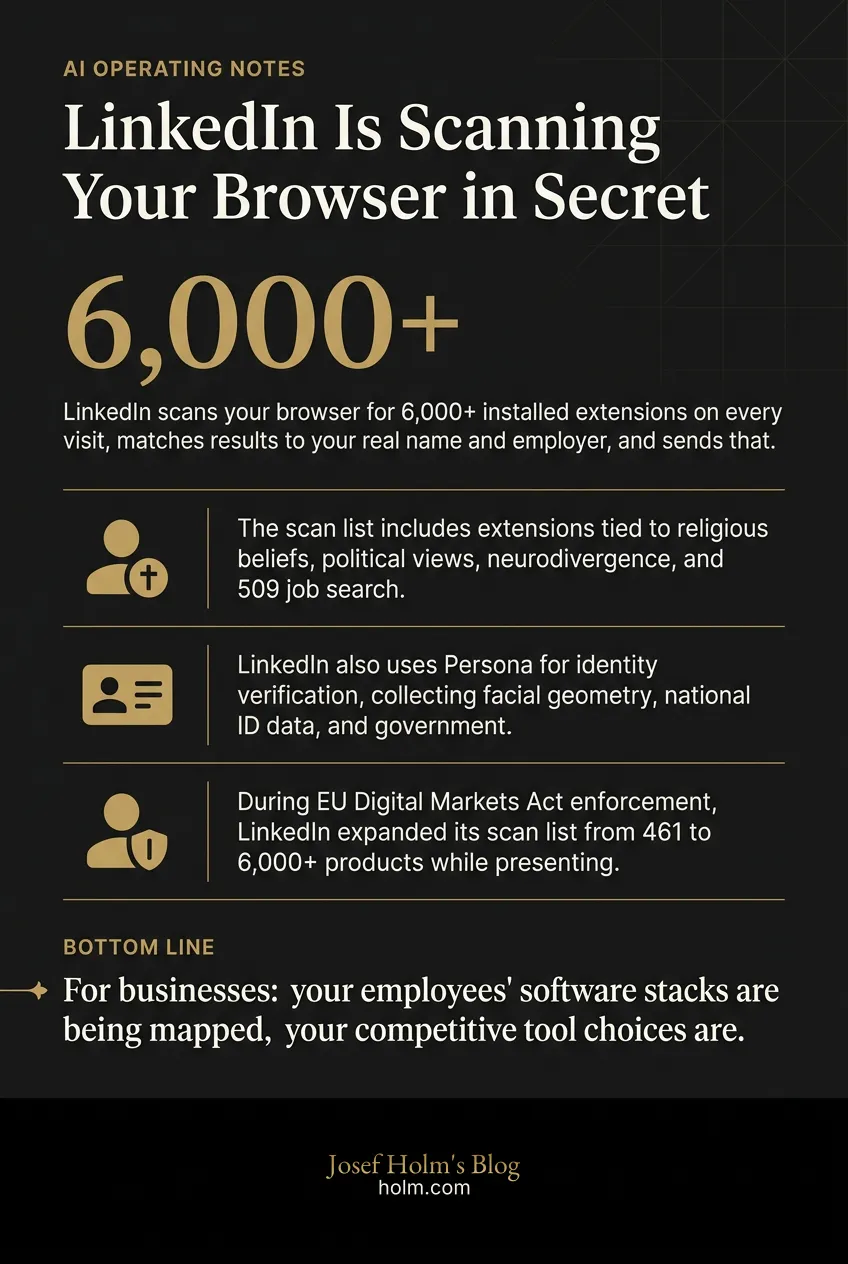
- LinkedIn scans your browser for 6,000+ installed extensions on every visit, matches results to your real name and employer, and sends that data to third parties including a cybersecurity firm called Human Security.
- The scan list includes extensions tied to religious beliefs, political views, neurodivergence, and 509 job search tools, categories that cannot legally be collected without explicit consent under EU law.
- LinkedIn also uses Persona for identity verification, collecting facial geometry, national ID data, and government records, then transmitting that to a 'global network of trusted third parties' users never agreed to.
- During EU Digital Markets Act enforcement, LinkedIn expanded its scan list from 461 to 6,000+ products while presenting regulators with two low-traffic APIs that handle 0.7 calls per second against its internal 160,000 calls per second.
- For businesses: your employees' software stacks are being mapped, your competitive tool choices are visible to LinkedIn, and your GDPR exposure may be higher than your current vendor risk assessment reflects.
The Real Story Behind LinkedIn's Browser Scanning
Most people heard "LinkedIn data leak" and moved on. That's a mistake. What Fairlink EV uncovered isn't a leak. It's a system. And the difference matters enormously.
Every time you visit linkedin.com, hidden code scans your browser for installed software extensions. Over 6,000 of them. The results get matched to your real name, your employer, your job title, then transmitted to LinkedIn's servers and to third parties, including an American-Israeli cybersecurity firm called Human Security.
You're never asked. You're never told. LinkedIn's privacy policy says nothing about it.
I've been in technology for over 25 years. I've seen companies push hard on data collection. But this is different in kind, not just degree. This is identified surveillance of identified individuals at identified companies, running silently across a billion-user platform, with zero disclosure.
Here's why that matters, and what it actually means for the businesses and leaders I work.
What Exactly Is LinkedIn Scanning For?
The investigation, conducted by Fairlink EV and published under the name "Browser Gate," found that LinkedIn's scan list grew from roughly 461 products in 2024 to over 6,000 by February 2026. That's not gradual expansion. That's a deliberate decision to dramatically increase the scope of what they're collecting.
What's on the list?
Extensions that identify practicing Muslims. Extensions that reveal political orientation. Extensions built for neurodivergent users. And 509 job search tools, which means LinkedIn can detect which of its users are quietly looking for new work on the very platform where their current employer sees their profile.
Think about that for a second. Your employer uses LinkedIn to manage their brand. You use it to explore options. LinkedIn is scanning your browser to find out you're doing it, then matching that data to your name and company.
What does that actually enable? Over 200 of the scanned extensions are direct competitors to LinkedIn's own sales tools. Apollo. Lusha. ZoomInfo. Because LinkedIn knows where you work, it can reverse-engineer which companies use which competitor products, extracting customer intelligence from thousands of software businesses without anyone's knowledge.
Is this competitive intelligence? Surveillance? The line between them disappears when you're doing it covertly at this scale.
Why Does This Go Beyond a Normal Privacy Violation?
Under EU law, data revealing religious beliefs, political opinions, and disabilities isn't just regulated. It's prohibited from being collected without explicit consent. There is no consent here. No disclosure. No stated legal basis.
This isn't a gray area. It's a bright red line.
The mechanism is worth understanding. LinkedIn loads an invisible tracking element from Human Security, formerly known as Perimeter X. Zero pixels wide, hidden off-screen, setting cookies without your knowledge. A fingerprinting script runs from LinkedIn's own servers. A separate third-party script from Google executes silently on every page load. All transmissions are encrypted. None are disclosed.
"Invisible" doesn't mean a popup you can dismiss. It's not a cookie banner you can decline. It's code that runs before you have any opportunity to object, collecting data you didn't know was being collected, about software you didn't know could be detected.
When I talk to business leaders about how AI and data systems are reshaping their operating environment, this is the kind of structural shift most people are missing. It's not about whether you personally have something to hide. It's about the information asymmetry between platforms and the people who trust them.
What About LinkedIn's Identity Verification?
A separate investigation covers LinkedIn's use of Persona, one of the largest identity verification vendors. When users verify their identity to get that profile checkmark, Persona collects full name and password, photo and selfie, facial geometry, NFC chip data, national ID number, and government ID verification results.
LinkedIn then transmits this data to what it describes as a "global network of trusted third-party data sources." That network includes government databases, national ID registries, consumer credit agencies, utility companies, mobile network providers, and postal address databases.
You thought you were getting a verification badge. You were undergoing a background check.
I don't say that to be dramatic. The gap between what users believe they're consenting to and what's actually happening is enormous. That gap is where real risk lives for businesses.
How Is LinkedIn Handling EU Regulation?
This is where the story gets structurally interesting.
In 2023, the EU designated LinkedIn as a regulated gatekeeper under the Digital Markets Act. The DMA ordered LinkedIn to open its platform to third-party tools. LinkedIn's response tells you everything about how large platforms actually treat regulation.
LinkedIn published two restricted APIs and presented them to the European Commission as compliance. Those two APIs together handle approximately 0.7 calls per second. LinkedIn's internal API, called Voyager, which powers all LinkedIn web and mobile products, operates at 160,000 calls per second.
In Microsoft's 249-page compliance report to the EU, the word "API" appears 533 times. The word "Voyager" appears zero times.
Fairlink EV calls this "compliance theater," and it's hard to argue with that characterization. Rather than opening the platform as mandated, LinkedIn expanded its surveillance of the exact third-party tools it was supposed to accommodate. The scan list grew from around 461 to over 6,000 products during the same period the DMA was supposed to be enforced.
LinkedIn has also reportedly sent enforcement threats to users of third-party tools, using data obtained through this covert scanning to identify its targets. So the platform is using secret surveillance to punish users for doing what EU regulators told LinkedIn to allow.
How many times have we seen this pattern? A large platform faces regulatory pressure, produces impressive-looking compliance documentation, and continues operating the way it always intended. The paperwork exists. The behavior doesn't change.
What Does This Mean for Businesses?
Here's where I want to shift from the investigation itself to the practical implications, because this affects every company that uses LinkedIn for recruiting, sales, marketing, or employer branding.
Your employees' software stacks are being mapped. Every person in your organization who visits LinkedIn is having their browser scanned. LinkedIn knows which tools your teams use. It knows which of your people are job hunting. It knows this at the individual level, matched to real names.
Your competitive intelligence is leaking. If your sales team uses tools that compete with LinkedIn Sales Navigator, LinkedIn now knows that. If you're evaluating alternatives to LinkedIn's products, LinkedIn can detect that evaluation in real time.
Your compliance exposure is growing. If you operate in the EU or have employees there, the data LinkedIn is collecting about your people may include categories explicitly prohibited under GDPR. You didn't consent to this collection. Neither did your employees. But the data exists, and it's being transmitted to third parties.
Your vendor risk assessment for LinkedIn is probably wrong. Most companies treat LinkedIn as a low-risk platform. People post updates. Recruiters send messages. But if this investigation is accurate, LinkedIn is running one of the most extensive covert data collection operations on the consumer internet, doing it under the cover of being a business networking tool.
This is the kind of reality that changes how you should think about platform dependency. At Josef Holm, we work with leadership teams on exactly these questions: where are the hidden structural risks in your technology stack, and what do you do about them before they become crises?
What Should You Actually Do?
Fairlink EV, operating through browsergate.eu, recommends several concrete steps. I think they're worth taking seriously.
Check if your extensions are on the scan list. You can enter an extension name or ID on their site to see if it appears in LinkedIn's actual JavaScript code. This isn't speculation. It's based on what the code does.
Submit a GDPR Subject Access Request to LinkedIn. Specifically request extension detection data, device fingerprinting data, and records transmitted via LinkedIn's AED event and spectroscopy event tracking systems. These are the specific data pipelines the investigation identified.
File a complaint with your national data protection authority. If you're in the EU, this is a formal process and it creates a regulatory record.
Consider registering as a potential co-plaintiff. If LinkedIn loses a legal case over this, affected users may be eligible for compensation.
Contact your elected representatives. Whether that's MEPs, members of parliament, senators, or House representatives, this is the kind of issue that benefits from political attention.
For businesses specifically, I'd add: review your internal policies on which platforms your employees use with company devices. Understand what data is being collected about your organization through individual employee activity. Update your vendor risk assessments so.
The Bigger Pattern
The platforms that know the most about us are the ones we think about the least.
LinkedIn isn't where people worry about privacy. It's where they post their resume and congratulate colleagues on promotions. That's exactly what makes it so effective as a surveillance platform. The trust is built in. The guard is down.
An estimated 405 million people worldwide are potentially affected by this scanning. Every detected extension is matched to an identified individual. Individual scans aggregate into detailed profiles of companies, institutions, and government agencies, revealing which software tools their employees use without organizational knowledge or consent.
This isn't a data leak. A leak implies something accidental. This is a system that was designed, expanded, and operated in secret while the company told regulators it was opening up.
We're entering a period where real competitive advantage for businesses isn't just what technology you adopt. It's understanding the full implications of the technology you're already using. That means looking at platforms not just for what they offer you, but for what they're taking from you without asking.
If you're a leader trying to make sense of how these shifts affect your business, that's the work we do at Josef Holm. Not hype. Not panic. Just clear-eyed assessment of what's actually happening and what to do about it.
The 6,000 extensions on LinkedIn's scan list aren't going back to 461. The surveillance infrastructure is built. The question now is whether anyone, regulators, businesses, or individuals, decides to do something about it.
Infographic
Frequently Asked Questions
- What is LinkedIn's browser extension scanning and how does it work?
- Every time someone visits linkedin.com, hidden code checks their browser for over 6,000 installed extensions. The results are matched to that person's real name, employer, and job title, then transmitted to LinkedIn's servers and to third parties. None of this is disclosed in LinkedIn's privacy policy. Users are never asked and never told.
- Is LinkedIn's extension scanning illegal under GDPR?
- EU law prohibits collecting data that reveals religious beliefs, political opinions, or disabilities without explicit consent. LinkedIn's scan list includes extensions that expose all three categories. There is no stated legal basis, no consent mechanism, and no disclosure. That puts this squarely in prohibited territory under GDPR, not a gray area.
- What business risk does LinkedIn's browser scanning create for companies?
- Three main risks. First, every employee who visits LinkedIn is having their software stack mapped, so LinkedIn knows which tools your organization uses. Second, if your sales team uses competitors to LinkedIn's own products, LinkedIn can detect that. Third, if you have EU employees, the data being collected about them may include categories that GDPR prohibits from being collected at all, creating compliance exposure you probably have not accounted for.
- What is LinkedIn's response to the Digital Markets Act and why does it matter?
- The EU's Digital Markets Act required LinkedIn to open its platform to third-party tools. LinkedIn published two APIs that together handle about 0.7 calls per second. Its internal Voyager API, which powers all LinkedIn products, runs at 160,000 calls per second. In Microsoft's 249-page compliance report to the EU, 'API' appears 533 times and 'Voyager' appears zero times. That is what compliance theater looks like in practice.
- What should I actually do if I am concerned about LinkedIn's data collection?
- Four concrete steps: check if your extensions appear on LinkedIn's scan list at browsergate.eu; submit a GDPR Subject Access Request to LinkedIn specifically asking for extension detection data and device fingerprinting records; file a complaint with your national data protection authority; and update your internal vendor risk assessment for LinkedIn to reflect what this investigation found.
- What data does LinkedIn collect through its identity verification process?
- When you verify your LinkedIn identity through Persona, the process collects your full name and password, a photo and selfie, facial geometry data, NFC chip data, national ID number, and government ID results. LinkedIn then sends this to what it calls a 'global network of trusted third-party data sources,' which includes government databases, credit agencies, utility companies, and mobile network providers. Most users believe they are just getting a profile badge.